Features
Menus
Create and edit a site's navigation menus without opening WordPress, from the app or through your AI assistant.
Where to find it
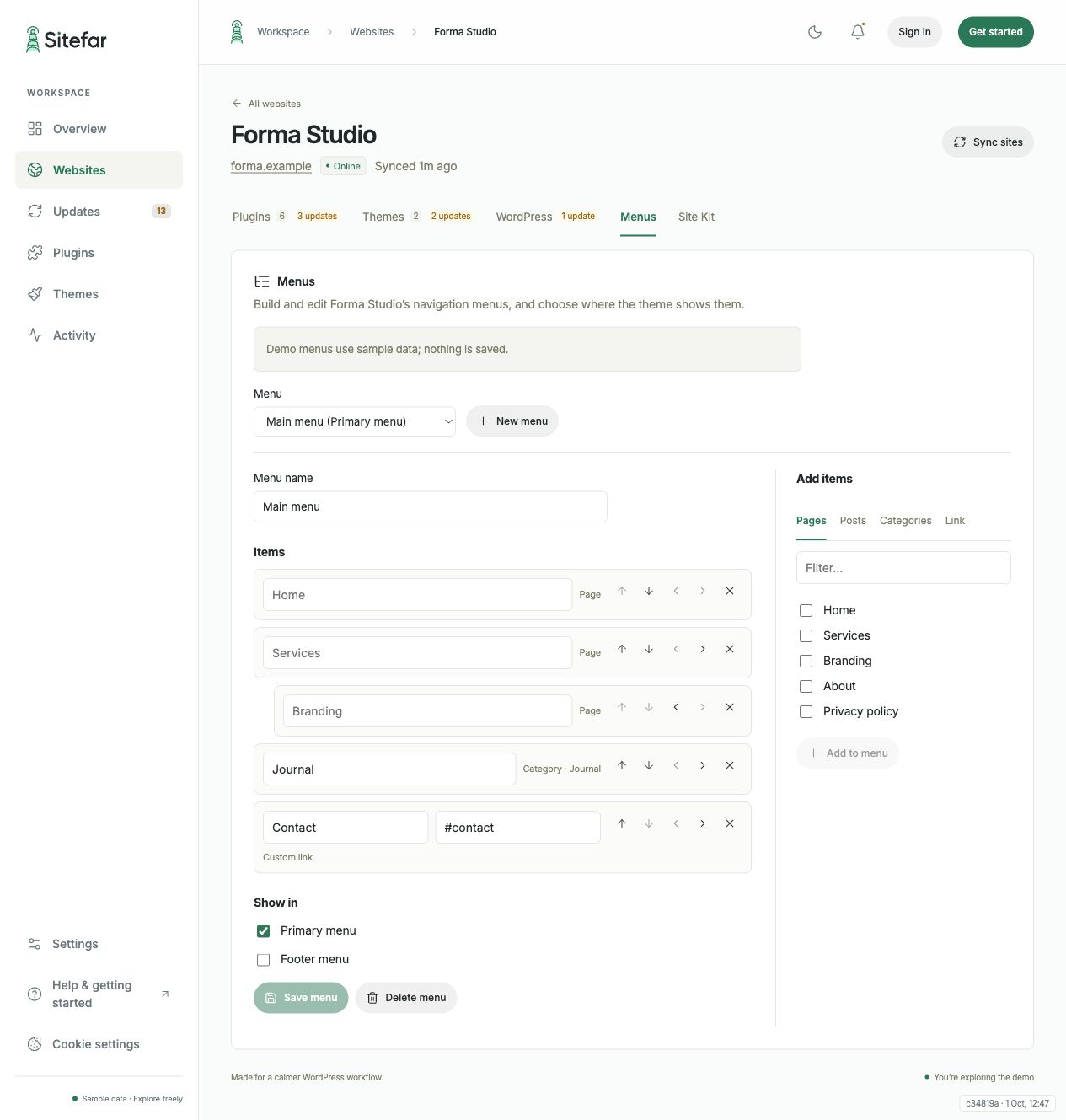
Open a site and choose the Menus tab. You'll see the site's menus, their items, and which theme location shows each one. Menus need Sitefar Connector 1.11 or later.
Building a menu
- Add pages, posts and categories from the site, or custom links (a full
https://address, or a path starting with/or#). - Nest items to make submenus, up to 5 levels deep.
- A menu can have up to 100 items.
- Choose a theme location (for example Primary) to show the menu there. This replaces the menu that was shown in that location.
 Open full-size screenshot (opens in a new tab)
Editing and deleting
Rename a menu, reorder, retitle or remove items, or change where it's shown. Items Sitefar can't create, such as product or tag links added in WordPress, are kept as they are and can still be moved and retitled. Deleting a menu asks you to confirm first.
With your AI assistant
Ask things like "Add the new Pricing page to the main menu on Forma Studio" or "Create a footer menu with Privacy and Contact". The assistant uses the list_menus, create_menu and update_menu tools. See Connect an AI assistant.